Export via Blob Storage Integration
- HobbyNot Available
- CoreNot Available
- ProTeams Add-on required
- EnterpriseAvailable
- Self HostedAvailable
You can create schedule exports to a Blob Storage, e.g. S3, GCS, or Azure Blob Storage, for traces, observations, enriched observations, and scores.
Those exports can run on an hourly, daily, or weekly schedule.
Navigate to your project settings and select Integrations > Blob Storage to set up a new export.
Select whether you want to use S3, a S3 compatible storage, Google Cloud Storage, or Azure Blob Storage.
Start exporting via Blob Storage
To set up the export navigate to Your Project > Settings > Integrations > Blob Storage.
Fill in the settings to authenticate with your vendor, enable the integration, and press save. Within an hour an initial export should start and continue based on the schedule you have selected. The export supports CSV, JSON, and JSONL file formats. Read our blob storage documentation for more information on how to get credentials for your specific vendor.
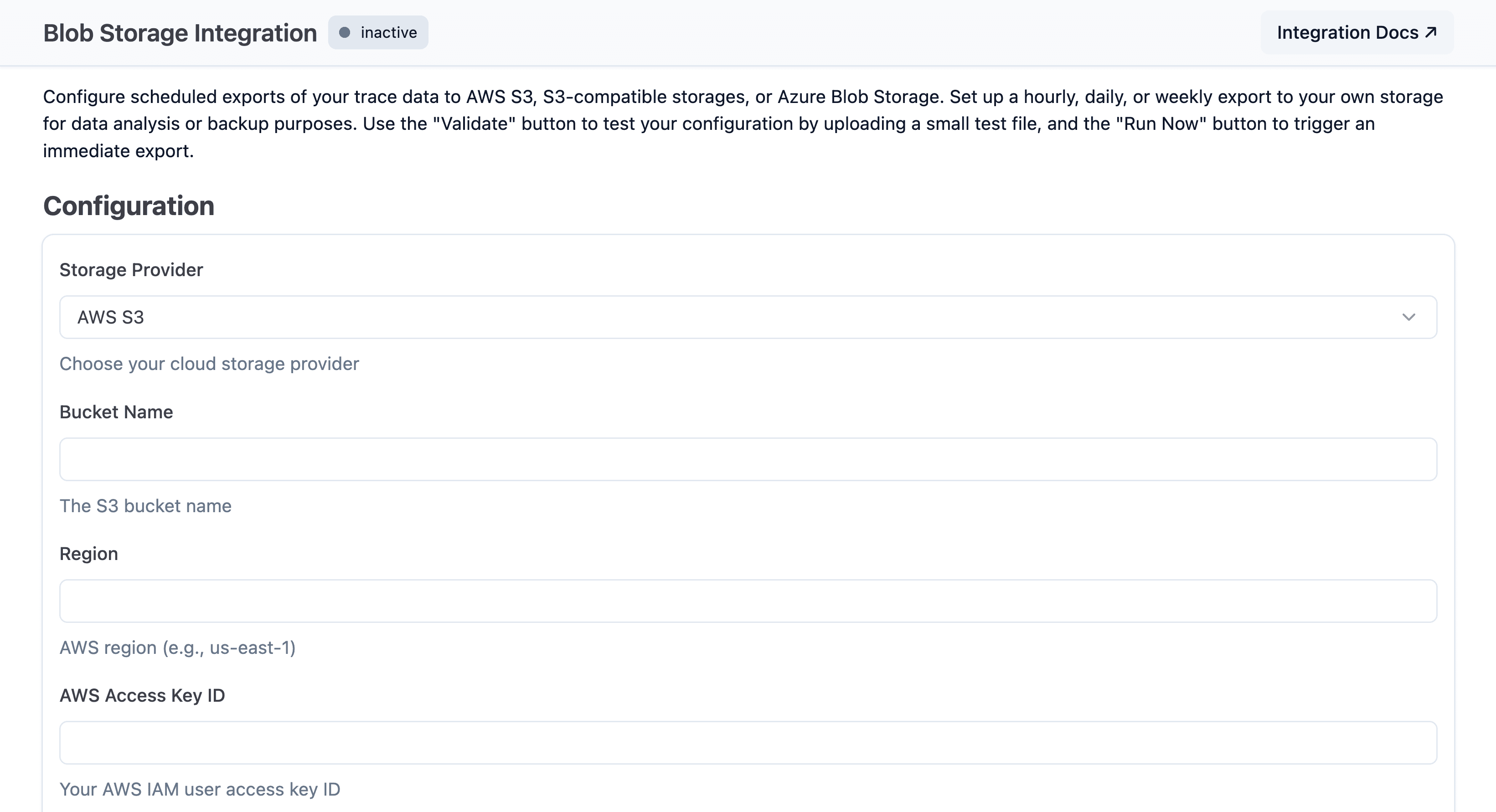
Export source (Fast Preview)
Blob Storage integrations now include an Export Source selector. New integrations default to Enriched observations (recommended) (trace attributes are directly set on observations).
This source uses enriched observations with trace attributes and provides significantly better export performance. Scores are always included, regardless of the selected source.
Available options:
Traces and observations (legacy)Traces and observations (legacy) and enriched observationsEnriched observations (recommended)
Traces and observations (legacy) sources may be deprecated in the future.
All new export jobs should use Enriched observations (recommended), and
existing legacy jobs are strongly recommended to upgrade.
Cloud projects created on or after 2026-05-20 cannot select Traces and observations (legacy) or the combined legacy + enriched source. New Cloud projects must use Enriched observations (recommended). The REST API rejects legacy values for these projects with 400 BAD_REQUEST. Existing projects (Cloud and self-hosted) and all self-hosted deployments are unaffected.
Upgrade path for existing configurations
Existing integrations continue to use Traces and observations (legacy) until changed.
To migrate safely:
- Switch to
Traces and observations (legacy) and enriched observations. - Validate downstream jobs and data consumers while both sources are exported (this mode creates duplicate records by design).
- Switch to
Enriched observations (recommended)once validation is complete.
For rollout details, see the Simplify for Scale changelog.
Exported fields
For a complete reference of all fields included in each export file (traces, observations, enriched observations, and scores), see the Export Field Reference.
Choose which columns are exported
For the Enriched observations (recommended) and Traces and observations (legacy) and enriched observations sources, you can choose which column groups appear in each row of the enriched observations export. Eleven groups cover the full row; toggle them in Project Settings → Integrations → Blob Storage under Export Field Groups.
| Group | Columns | Toggleable |
|---|---|---|
core | id, trace_id, start_time, end_time, project_id, parent_observation_id, type | Required (always exported) |
basic | name, level, status_message, version, environment, bookmarked, public, user_id, session_id | Yes |
time | completion_start_time, created_at, updated_at | Yes |
io | input, output | Yes |
metadata | metadata | Yes |
model | provided_model_name, model_id, model_parameters | Yes |
usage | usage_details, cost_details, total_cost, input_price, output_price, total_price, usage_pricing_tier_name | Yes |
prompt | prompt_id, prompt_name, prompt_version | Yes |
metrics | latency, time_to_first_token | Yes |
tools | tool_definitions, tool_calls, tool_call_names | Yes |
trace_context | tags, release, trace_name | Yes |
Pricing fields (input_price, output_price, total_price, usage_pricing_tier_name) require the usage group. Deselecting usage skips the worker-side model pricing lookup entirely.
New integrations default to all eleven groups, so behavior matches earlier exports unless you narrow the selection. The Traces and observations (legacy) source uses a fixed column set and ignores field groups.
Configure via REST API
GET and PUT /api/public/integrations/blob-storage accept and return:
exportSource—LEGACY_TRACES_OBSERVATIONS,OBSERVATIONS_V2, orLEGACY_TRACES_AND_ENRICHED_OBSERVATIONS.exportFieldGroups— a list of group names. Must includecorewhen provided. Must be omitted ornullforLEGACY_TRACES_OBSERVATIONS(the REST contract returnsnullon read and rejects non-null on write for that source). When omitted on update, the existing value is preserved.
See the API reference for the full schema.
Alternatives
You can also export data via:
- UI - Manual batch-exports from the Langfuse UI
- SDKs/API - Programmatic access using Langfuse SDKs or API


